Bracketing and HDR
Hold a scene that no single exposure can: shoot a bracket on a tripod, merge it, and see what moving people do to a merge.
Course: Intermediate · 18/18
Try this lesson in the simulator
One exposure cannot hold it all
A sensor records a limited span of brightness at once, its dynamic range, and a JPEG squeezes it into 8 bits. Against the dawn sky the span of the scene is wider: the glow is thousands of times brighter than the shaded hill and the people. Expose for the sky and the people become silhouettes; expose for the people and the sky turns into a white patch.
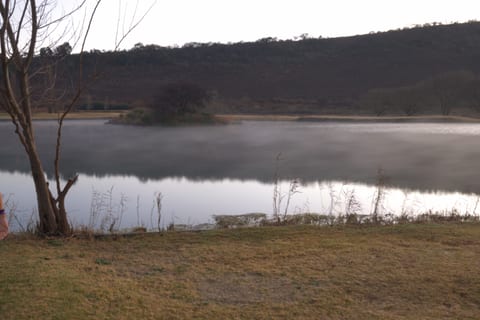
The three photos show the same frame at −2, 0 and +2 EV on the tripod. Shoot them and look at where the histogram piles up: no single one has both the cloud detail and the faces.
Bracketing: let the camera shoot them in a row
Exposure bracketing (AEB) takes several frames with one press: the exposure the camera would have chosen, then darker and brighter by a fixed step (1 or 2 EV), in the order 0, −, +, −2, +2. In A and P the shutter time changes and the aperture and ISO stay; in S the aperture changes. A frame the camera cannot reach (the shutter has a limit) is taken at the limit, and the merge uses what was really shot.
Put the camera on a tripod: the frames must line up. The frames are only about 0.1 s apart (the burst rate), but a hand moves more than that. In the deck, open the intermediate controls, set Bracket to 3 frames and the step to 2 EV.
Merging: take the trustworthy value from each frame
The merge turns every frame back into linear light, using the tone curve it was made with, and divides out each frame's exposure. Then each pixel takes a weighted average: a value near black or white in a frame gets almost no weight, a well-exposed one gets a lot. The sky comes from the dark frame, the shadows from the bright one. The result is squeezed (tone-mapped) at both ends to fit one picture, and the middle tones stay as they were.
It invents nothing: a pixel that is blown out in every frame stays white. After a merge the panel shows the numbers: the range of the merged picture against the reference frame alone, and how much of what the reference had blown out was brought back.
Ghosts: when something moved between the frames
Each frame is a different moment. A person walking through the bracket stands in a different place in each frame, and the merge shows several half-transparent copies: ghosts. A tripod fixes the camera, not the people. The slow frame (+2 EV) also smears them.
Ghost removal compares the frames: where they disagree by more than the exposure difference explains, it trusts the reference frame only. It works where the reference is well exposed; where the reference is blown out or black there is no way to tell, and the ghost stays. The best cure is still fewer frames, faster, with nothing moving.
Doing it here
The set-up is ready: A mode, F8, 35 mm, tripod, and a stroller couple walking along the shore. In the deck, set the bracket to 3 frames and 2 EV and press the shutter once: three photos are taken in a row (the first one, the metered frame, is the one the coach talks about).
Then use the HDR merge list in Practice: pick the bracket, choose whether to align (off on a tripod: there is nothing to align) and whether to remove ghosts, and merge. Merge the same bracket twice, without and with ghost removal, to see the difference.
Practice in the simulator
- Shoot a bracket on the tripod: 3 frames or more, at least ±2 EV apart
Hint: In the deck, open the intermediate controls, set Bracket to 3 frames and Step to 2 EV, make sure the tripod is on, and press the shutter once. Wait for all three frames. - Merge it: range 1 stop or more above the reference frame, half or more of what it blew out brought back
Hint: In Practice, find your bracket in the HDR merge list and press Merge. On a tripod leave Align off. The panel then shows the range of the merged picture against the reference and the share of the blown-out sky it brought back. - On purpose: merge the same bracket without ghost removal, then with it, and let it find 1 % or more of the picture moving
Hint: Merge your bracket once with Ghost removal off and once with it on. Look at the walkers in both: without removal there are several half-transparent copies. The removal reports how much of the picture it found moving. If it finds under 1 %, shoot another bracket while the people are in the frame.
Try this lesson in the simulator
Key takeaways
- One exposure holds a limited range. Bracketing shoots a dark, a metered and a bright frame in a row, and the merge takes the trustworthy part of each: the sky from the dark one, the shadows from the bright one.
- Use a tripod so the frames line up; people and clouds still move between frames and leave ghosts, which ghost removal can hide where the reference frame is well exposed. A merge never invents what no frame recorded: blown out everywhere stays white.